
Media Spend Planner & Performance Tracker [Google Sheets Template]
Are you tired of wasting billable hours allocating budgets across multiple platforms and campaigns?
Fed up with the stress of ensuring your budgets are correctly allocated for optimal results?
Ready for a streamlined solution that helps your team manage budgets, track daily performance, and share key metrics with decision-makers?
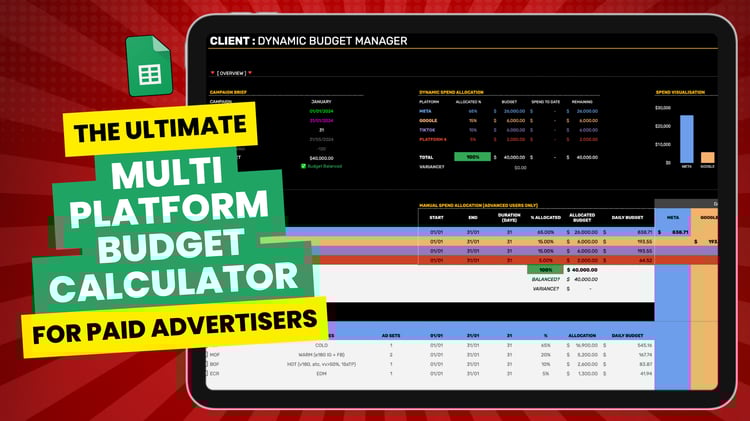
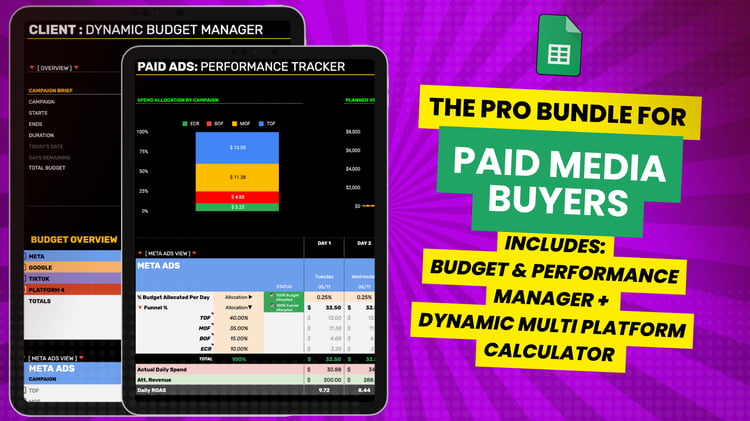
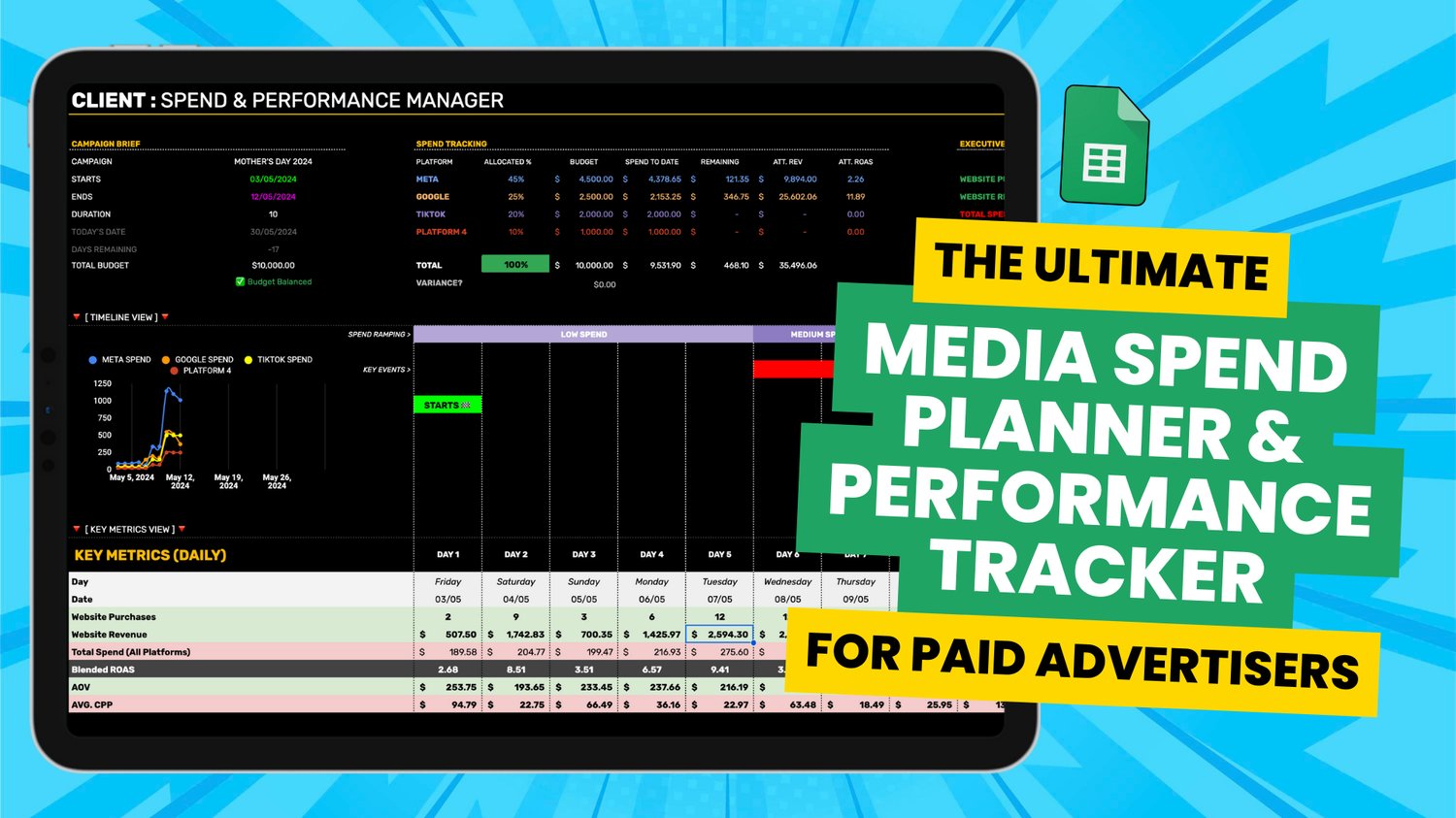
Introducing the MEDIA SPEND PLANNER & PERFORMANCE TRACKER. This Google Sheets template is the ultimate tool for effectively managing your paid media budgets across multiple platforms and campaigns. Designed by an agency owner of nine years – this template simplifies budget management and allocation for single or multiple platforms, whether for specific campaign periods (like Black Friday) or on a month-to-month basis. It also dynamically tracks the individual and blended results of all your campaigns daily and throughout the campaign duration.
For Agency Owners & Paid Advertisers Wanting:
1. Greater Budget Control
- Allocate with Precision: Distribute budgets efficiently across multiple campaigns and platforms to ensure maximum ROAS.
- Dynamic Adjustments: Automatically adjust allocations based on real-time performance data and historical results.
- Stress Free Management: Avoid under & over spending client budgets with built in variance and error log functionality.
2. Enhanced Performance Visibility
- Comprehensive Metrics: Track key performance indicators such as ROAS, CPP, Revenue vs. Spend, Purchases over time, total revenue, spend & more at a glance.
- Daily Insights: Stay updated with daily performance tracking for more informed decision-making.
3. Streamlined Reporting
- Easy Sharing: Effortlessly share performance reports with team members, departments, and clients.
- Visual Dashboards: Use dynamic charts and graphs to present data clearly and effectively.
4. Optimised Campaign Management
- Multi-Channel Tracking: Manage and monitor campaigns across various platforms including Meta, Google Ads, and TikTok & more.
- Automated Workflows: Save time and stress by reducing manual budget calculations across multiple platforms and campaigns with automated allocations. Simply set the % for each macro platform and micro campaign/stage of funnel and watch the budgets populate automatically.
5. Improved Decision-Making
- Data-Driven Insights: Make informed decisions with top-level data insights that guide budget allocations and optimisations.
- Customisable Templates: Adapt the template to fit your specific needs and goals, ensuring relevance and accuracy in your campaigns.
Track Metrics that Matter with Comprehensive Dashboard Views:
Experience the power of simplified, visual, and reliable data at your fingertips with our versatile dashboard views.
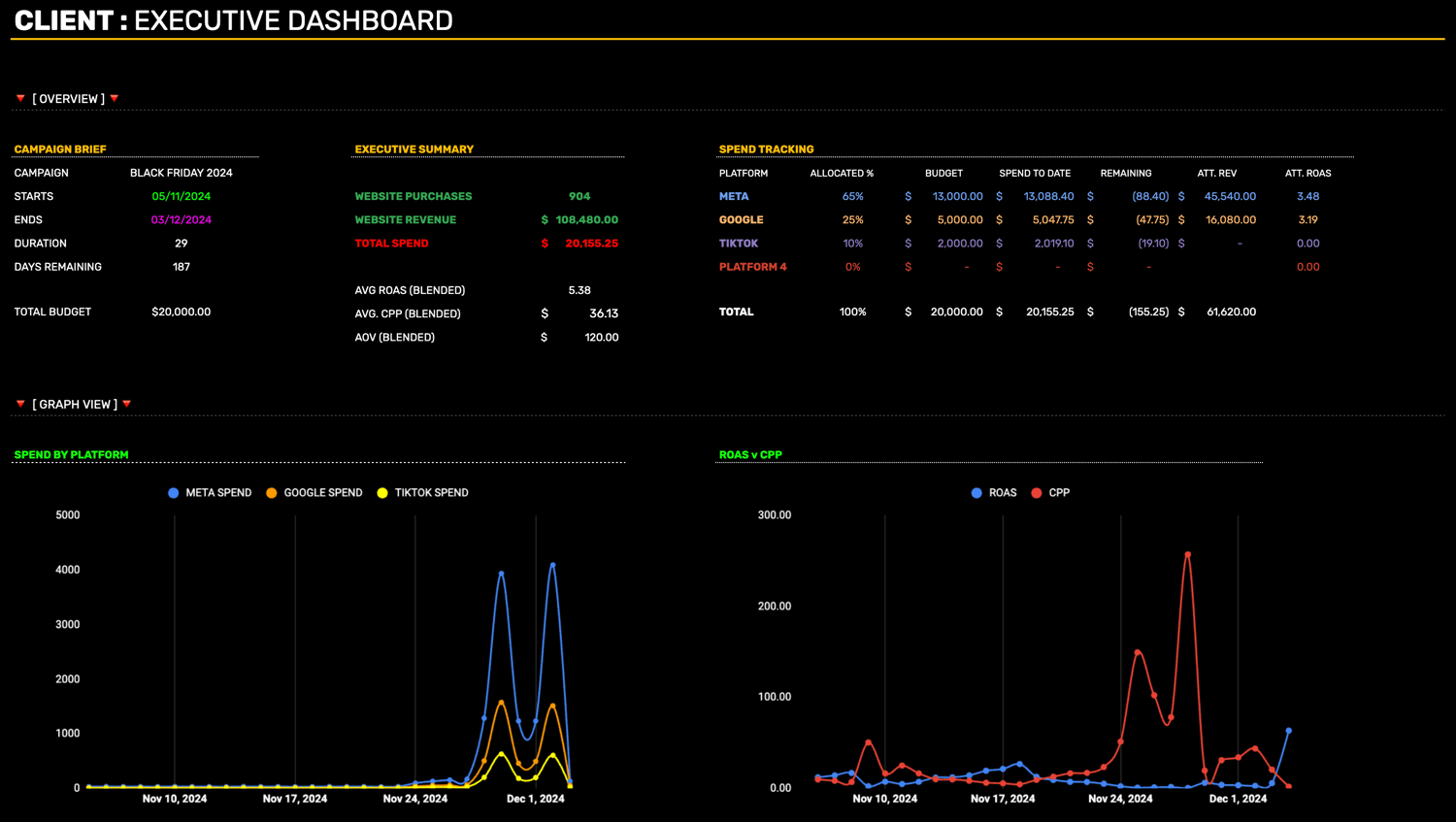
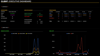
Executive Dashboard View:
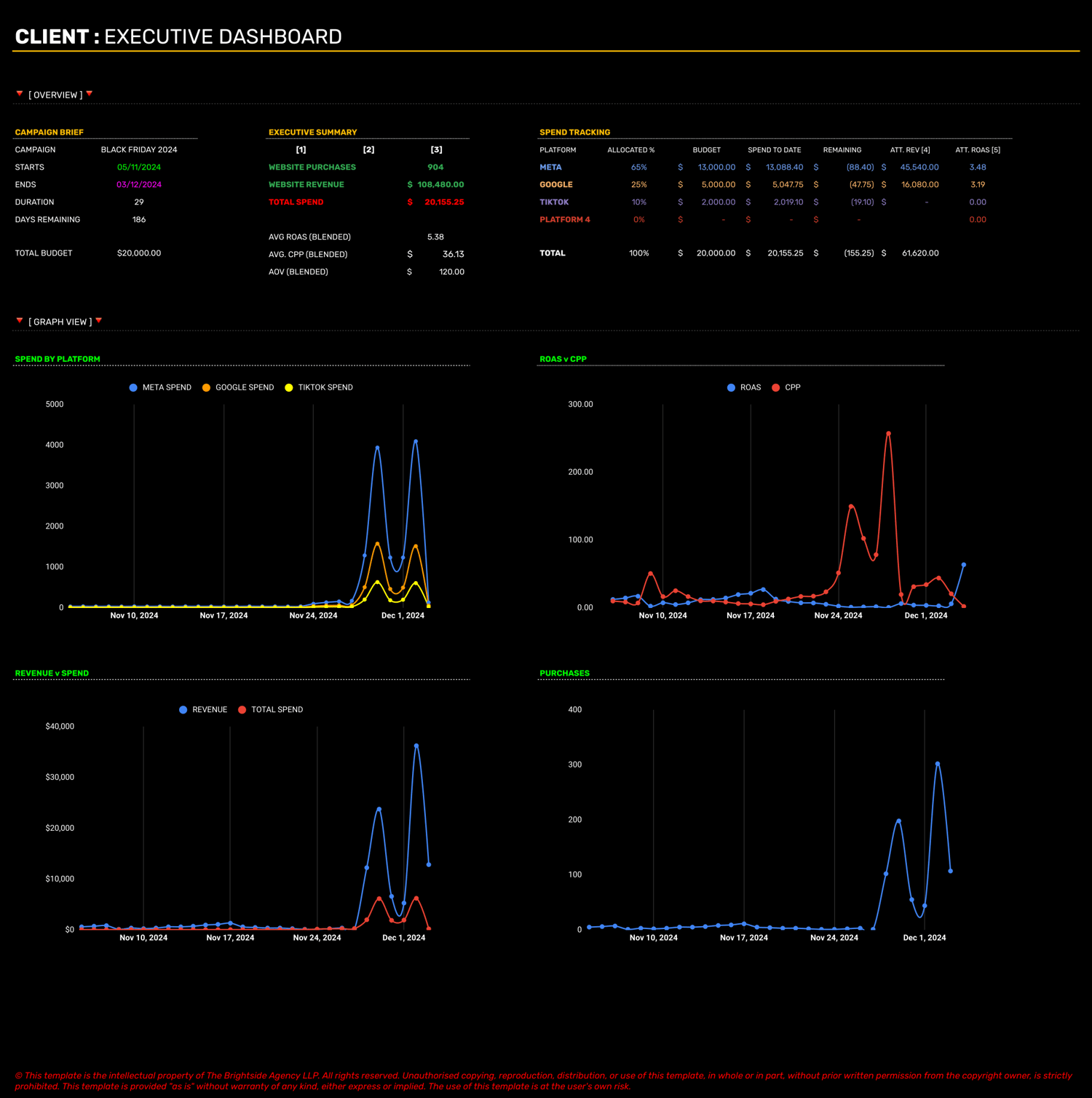
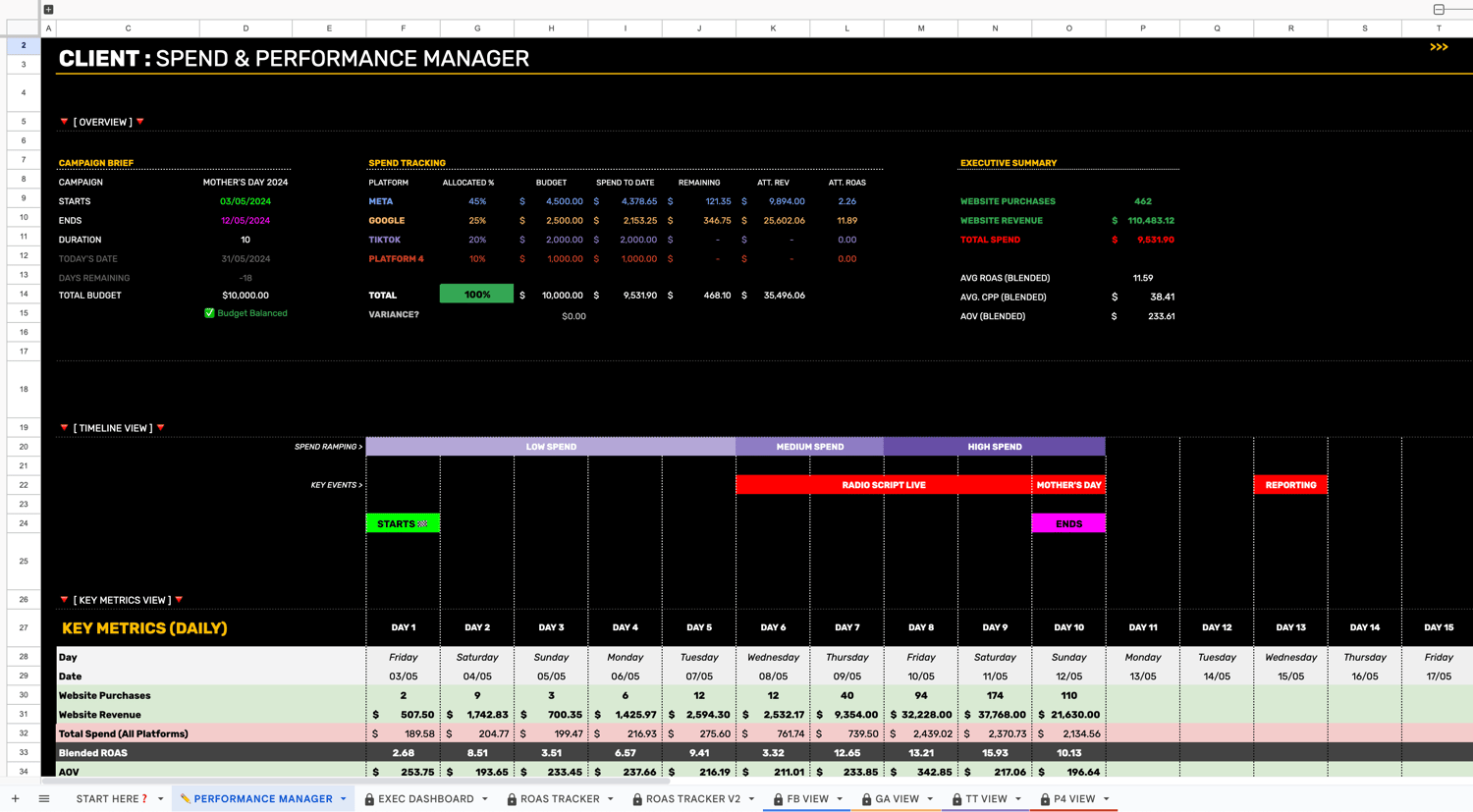
Executive Summary Views of:
- Total Purchases: Get a clear snapshot of your total purchases.
- Website Revenue & Attributed Revenue: See your revenue streams in detail.
- Spend: Monitor your spending across all platforms.
- Average ROAS, CPP, & AOV (Blended): Track key performance metrics in one place.
Performance Manager View:
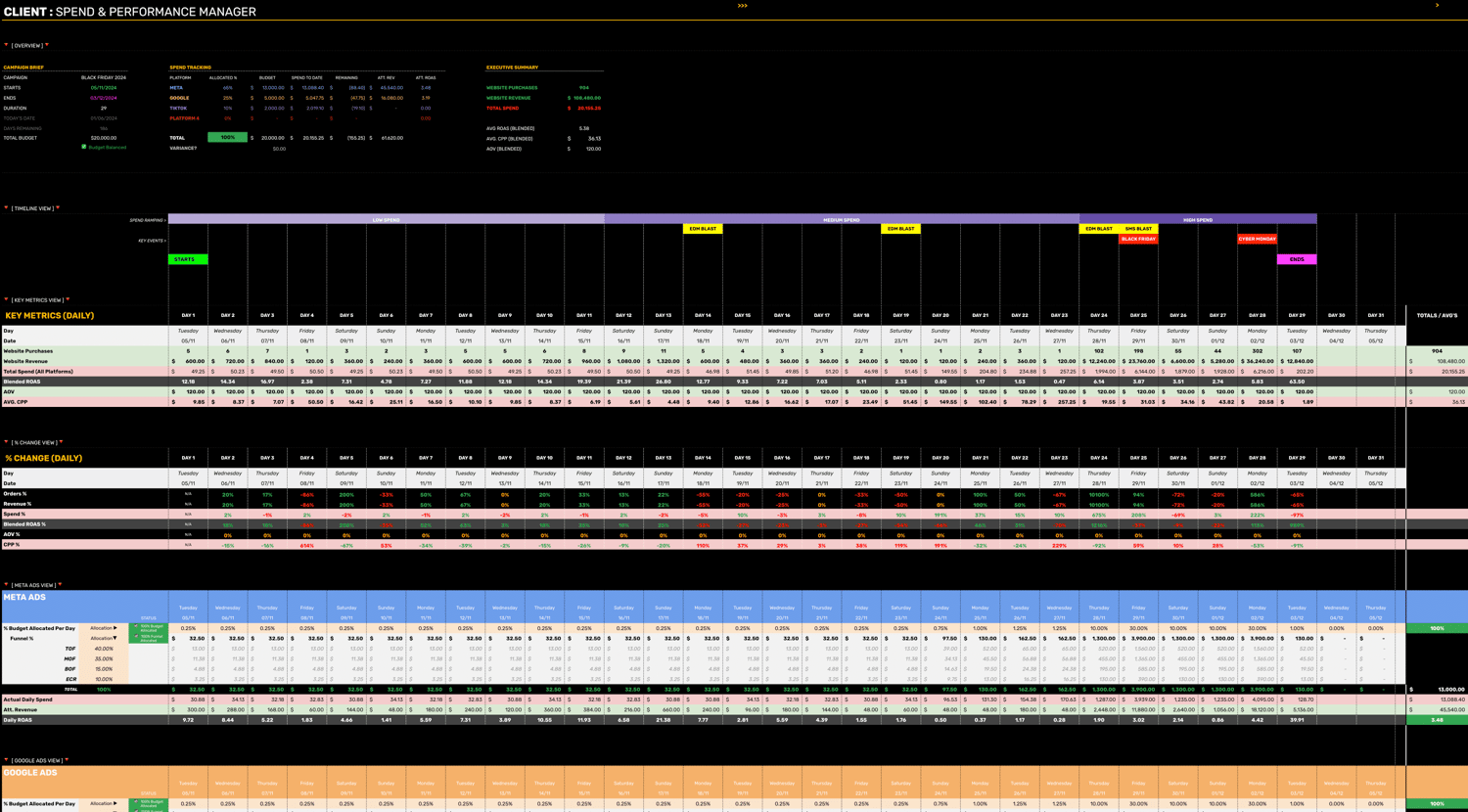
For 4 platforms.
Automatically View:
- Total Budget Allocations: Stay on top of your budget distribution.
- Total Spend for All Platforms to Date: Keep track of your cumulative spending.
- ROAS, CPP, AOV (Blended): Easily access blended performance metrics.
Monitor Daily % Changes in:
- Purchases: Track daily fluctuations in purchase numbers.
- Website Revenue & Spend: Observe daily changes in your revenue and expenditure.
- ROAS, CPP, AOV (Blended): Stay updated on daily performance shifts in your key metrics.
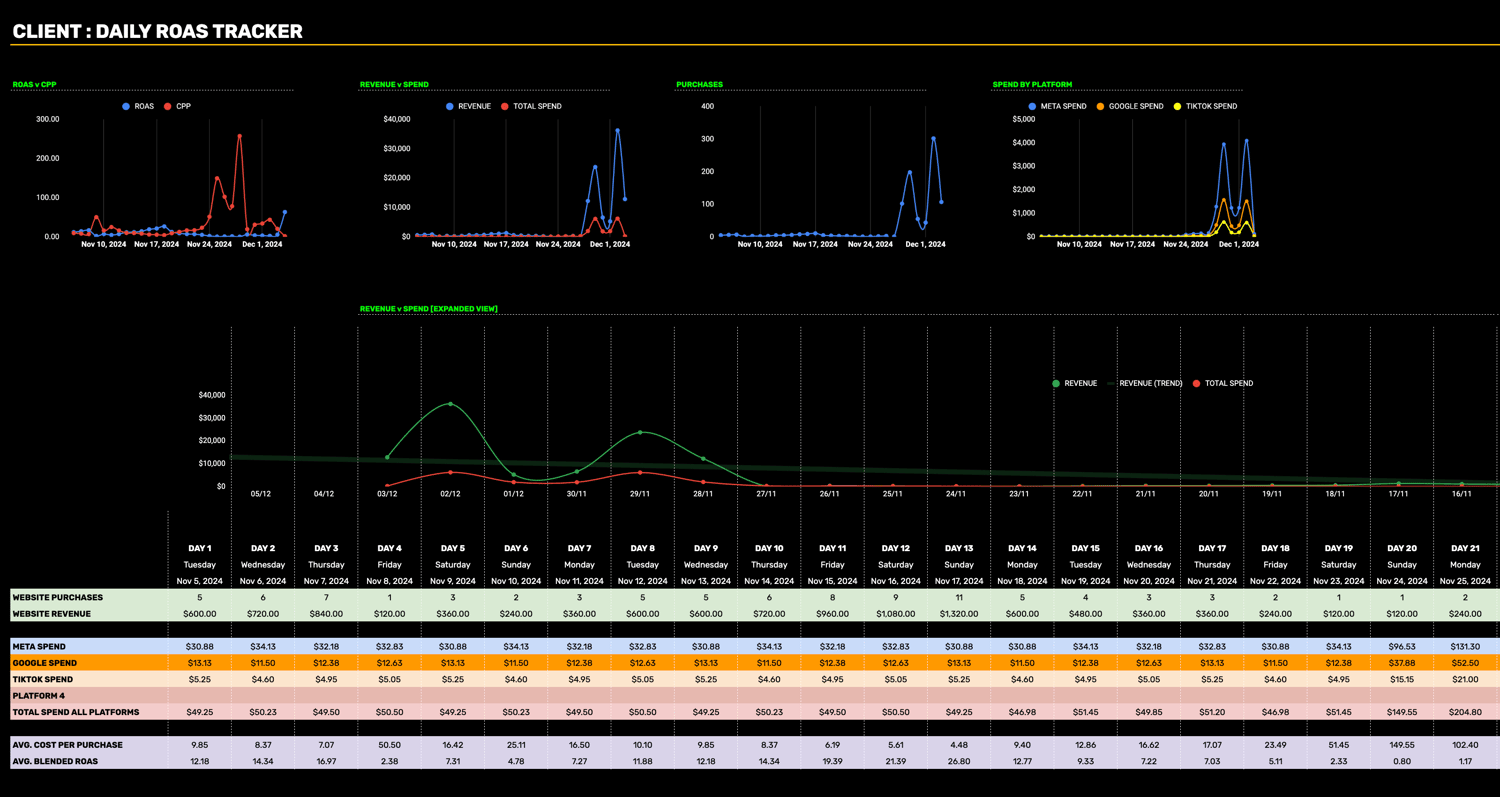
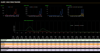
Daily ROAS Trackers View:
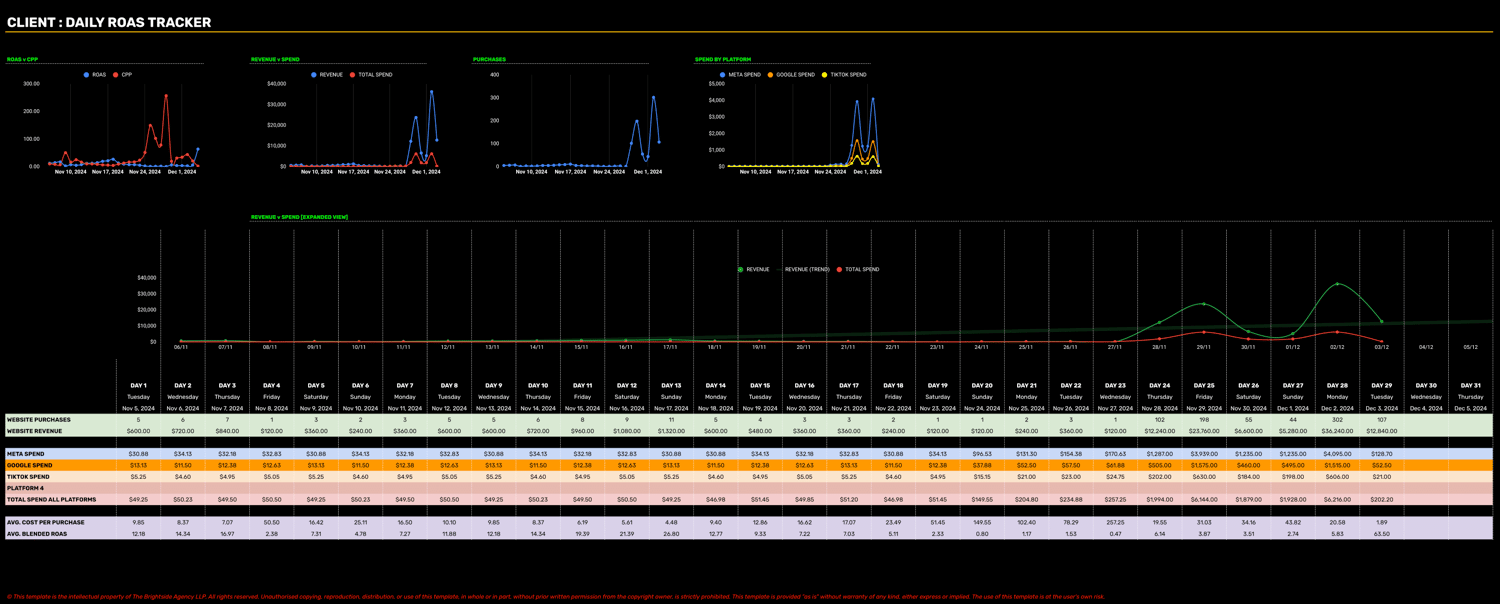
Individual Platform Views:
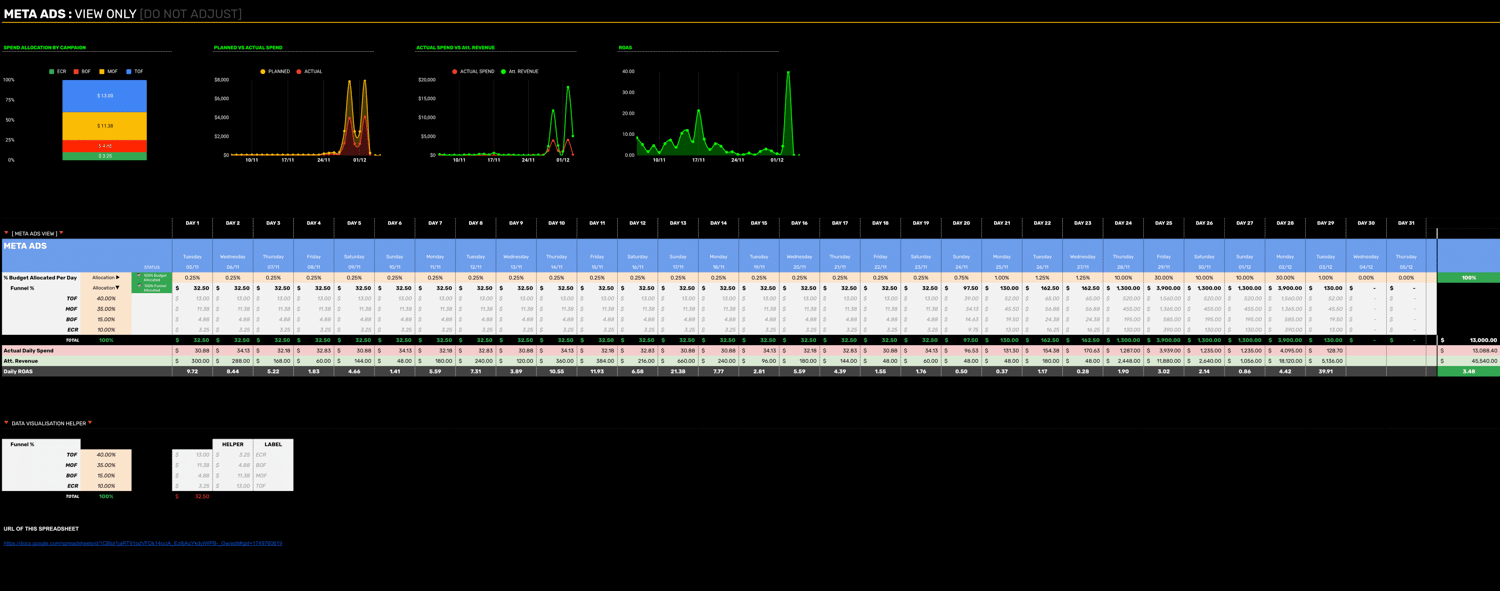
Meta Ads, Google Ads, TikTok Ads, +Additional Ad Platform.
Elevate your campaign management with our comprehensive, easy-to-use Google Sheets template designed to optimise your budget allocation and track performance effortlessly.
Key Features:
💰 Effortless Budget Allocation
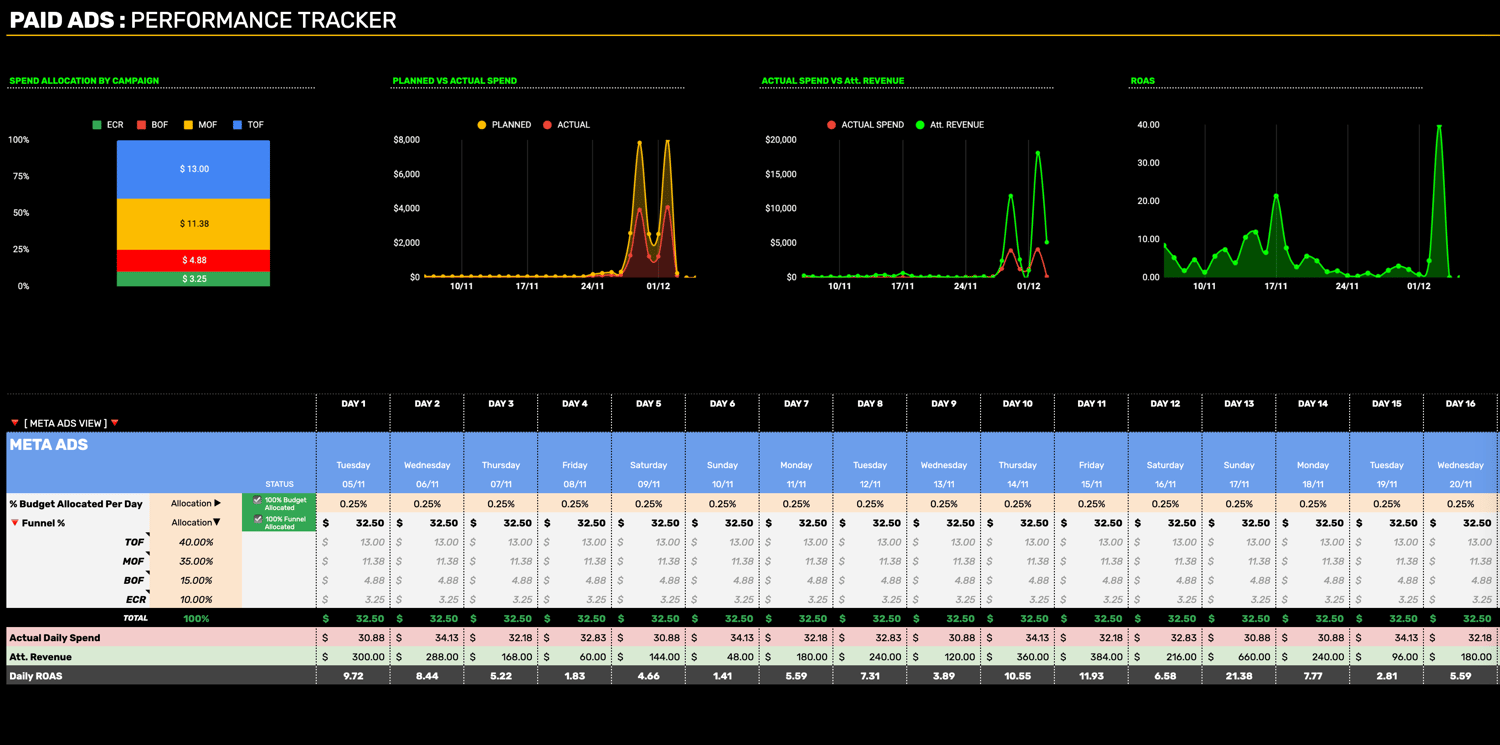
- Macro and Micro Budgeting: Allocate budgets at both the macro level (total campaign) and micro level (individual platforms and funnels).
- Dynamic Updates: Automatically update budget allocations based on past performance data to ensure optimal spending.
📈 Comprehensive Performance Tracking
- Multi-Channel Visibility: Track performance across Meta, Google Ads, TikTok, and more.
- Real-Time Metrics: Daily updates for purchases, revenue, spend, and ROAS to keep you informed.
- Visual Representations: Clear charts for ROAS vs. CPP, revenue vs. spend, and purchases over time.
😍 User-Friendly Interface
- Step-by-Step Setup: Easily set up new campaigns, allocate budgets, and track performance with a simple, intuitive interface.
- Helpful Prompts: Built-in help menu with guidance for every step ensures you never miss an update.
- Flexible Customisation: Adapt the template to your specific needs with customisable key events and budget periods.
How Does The Budget Planner Work?
Save hours of time planning and remove the stress and thinking from managing your budgets in only two steps – in less than 10 minutes.
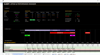
STEP 1: SETTING UP A NEW CAMPAIGN
- Enter Campaign Details: Input the client name, campaign brief, start and end dates.
- Allocate Budgets: Define your total budget and distribute it across platforms based on historical performance.
- Key Events and Spend Periods: Map out high, medium, and low spend periods, and schedule key marketing events.
STEP 2: ALLOCATING BUDGETS
- Macro Level Budgets: Allocate budgets to different platforms like Meta, Google Ads, TikTok and more.
- Micro Level Budgets: Split the budget further into top, middle, and bottom funnel allocations for each platform, or whatever campaign split you desire.
- Dynamic Adjustments: Automatically balance the budget across all campaigns and platforms.
How Does The Performance Tracker Work?
Once your campaigns begin, simply enter key metrics for each platform – in less than 2 minutes each day.
STEP 3: TRACKING DAILY PERFORMANCE
- Daily Updates: Enter daily performance data including purchases, revenue, and spend for each platform.
- Real-Time Insights: Instantly see updated metrics and visual representations of your campaign performance.
- Performance Dashboard: Access a comprehensive dashboard view to monitor daily ROAS, cost per purchase, and overall campaign success.
TESTIMONIALS FROM AGENCY OWNERS LIKE YOU:
⭐️⭐️⭐️⭐️⭐️
Brandon Willington - CEO at whereu.com.au
"These templates have saved my ad specialists and account managers a tremendous amount of time on client reporting and budget planning. These tasks used to be the most time-consuming aspects of our agency's operations, but now they're automated. Our efficiency has increased by 70-80%, allowing our ad specialists to focus on creative tasks that drive results. I've also seen a significant improvement in our wages to revenue ratio on my P&L statement. This has been a game-changer for us. Thanks again!"
PRODUCT DELIVERY & INCLUSIONS:
Once purchased, you will be provided with the following:
✅ Instructions on how to instant download the templates
✅ Full detailed walk through video tutorial on how to use the template
✅ 3 Versions of the Paid Media Budget & Performance Manager Template:
- Blank Template
- Pre-populated Example Template (Mother's Day 2024)
- Pre-populated Example Template (Black Friday 2024)